
polarion-mcp
Connect your AI to Polarion in minutes.
271 REST operations. One server. Every client.
What it does
271 REST Operations
Every Polarion REST endpoint exposed as a typed tool — work items, test runs, documents, plans, users. Auto-generated from the OpenAPI spec.
Every Major AI Client
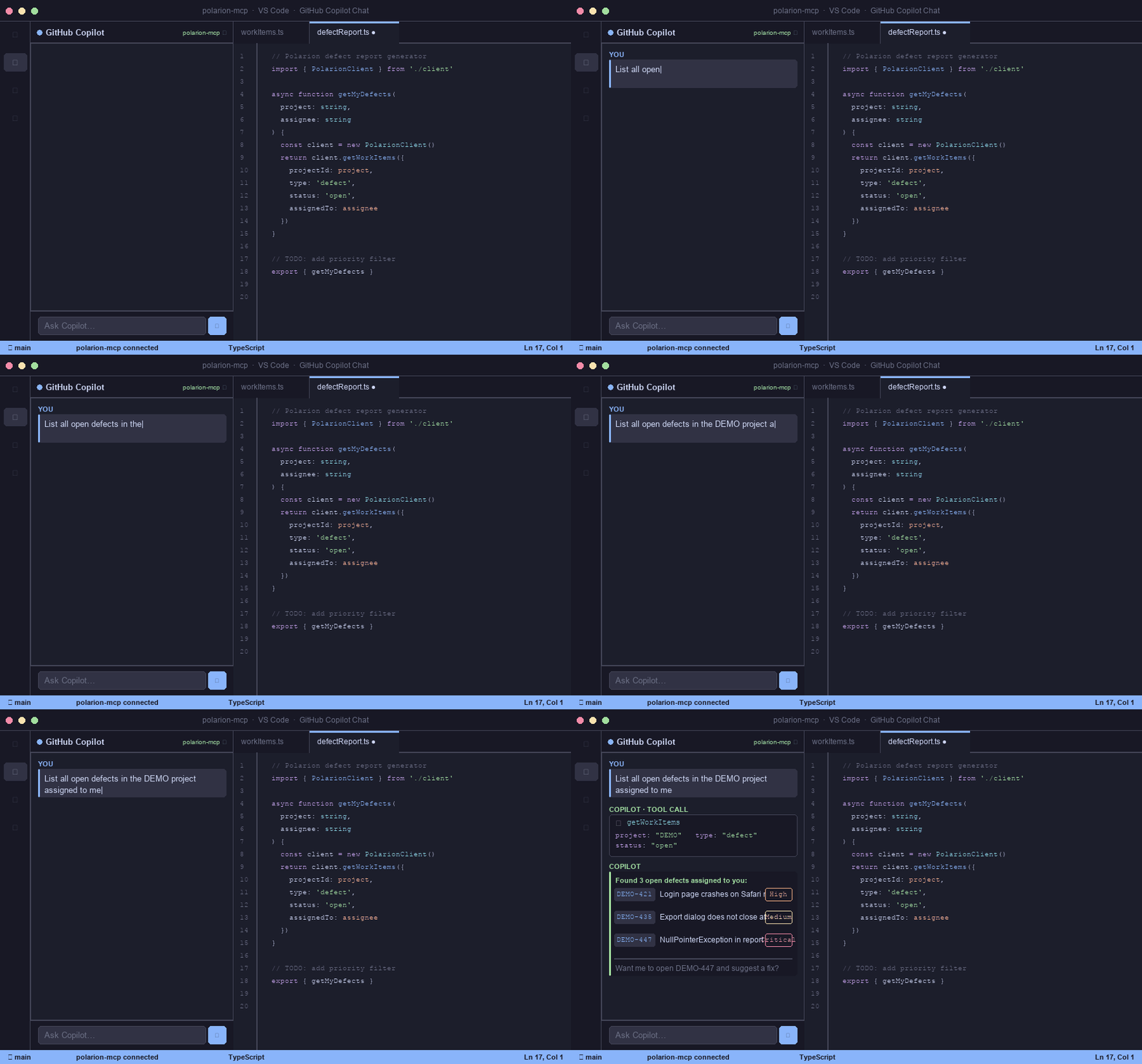
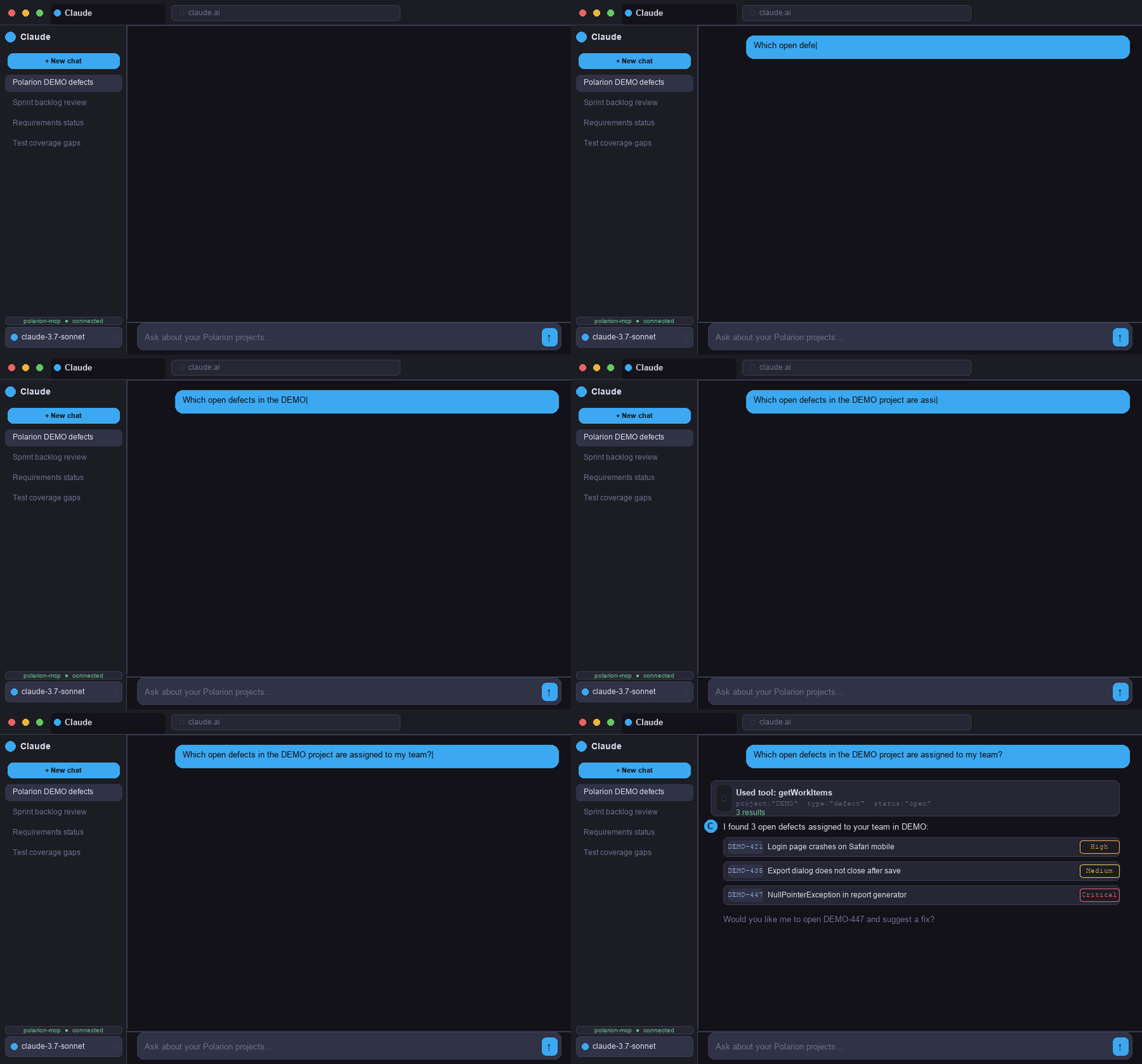
Claude Code, Claude Desktop, VS Code GitHub Copilot, ChatGPT Custom GPT and Claude.ai web — one server, five clients, three transports.
Docker-Ready
Multi-transport container image with configurable entrypoints. Run locally or deploy on your own infrastructure. No cloud dependency.
SDK Documentation Access
Optional Polarion SDK docs loaded as tool context — your AI understands not just the REST API but the Polarion programming model.
Secure by Design
Personal Access Tokens stored in .env, gitignored by default. Separate API keys per transport, with TLS support.
Cached Project Config
Project-level configuration is cached on first use. Your AI stays fast even across a complex Polarion instance with dozens of projects.
See it in action
Real screens from the running product, not mockups.
Up and running in 3 steps
Clone & Build
Clone the repo, install dependencies and build. Takes less than two minutes.
Configure
Add your Polarion URL and Personal Access Token. Point your AI client to the server.
Ask
Open your AI assistant and start querying Polarion in plain language. No API knowledge required.
Works with your tools
One server, every client. Pick the AI assistant you already use.
Get building
claude mcp add polarion-mcp \
  -e API_BASE_URL=https://your-polarion/polarion \
  -e BEARER_TOKEN=your-personal-access-token \
-- node /path/to/polarion-mcp/build/index.js// .vscode/mcp.json
{
"servers": {
"polarion-mcp": {
"type": "stdio",
"command": "node",
"args": ["/path/to/polarion-mcp/build/index.js"],
"env": {
"API_BASE_URL": "https://your-polarion/polarion",
"BEARER_TOKEN": "your-personal-access-token"
}
}
}
}// claude_desktop_config.json
{
"mcpServers": {
"polarion-mcp": {
"command": "node",
"args": ["/path/to/polarion-mcp/build/index.js"],
"env": {
"API_BASE_URL": "https://your-polarion/polarion",
"BEARER_TOKEN": "your-personal-access-token"
}
}
}
}docker run -d \
-e API_BASE_URL=https://your-polarion/polarion \
-e BEARER_TOKEN=your-personal-access-token \
-e MCP_HTTP_TOKEN=your-mcp-secret \
-p 3000:3000 \
ghcr.io/phillipboesger/polarion-mcp:latestReady to connect your AI to Polarion?
Open-source, self-hosted, and ready in minutes. No vendor lock-in.
Or let an AI sum me up — the prompt is already prepared:
 ChatGPT
 Claude
 Perplexity
 Gemini