Daily Board
Stop switching apps to find out what your day looks like.
Reminders, Calendar, journal and quick notes — one screen, entirely on your iPhone.
- Your Apple Reminders and Calendar on one timeline — no second todo system to maintain.
- Add a todo the way you think it: "dentist tomorrow 10am" becomes a real reminder.
- A daily journal that turns what you wrote into tasks, using on-device AI.
- No account, no cloud backend, no tracking — nothing ever leaves your device.
Free · iPhone, iOS 26 or newer · German & English · What it does with your data
Why Daily Board
I like Apple Reminders and Calendar. I just got tired of opening four apps to find out what my day looks like — and the journal and notes I kept elsewhere never stuck, because they didn't live where I already was.
So Daily Board puts all of it on one screen, and keeps every bit of it on the device.
See it in action
Real screens from the running app, not mockups.
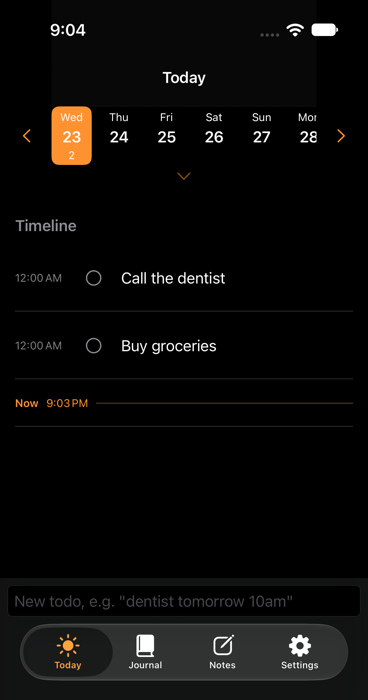
The whole day on one timeline
Reminders and calendar events together, in order. Type "dentist tomorrow 10am" and it becomes a real Apple Reminder with that due date — no ten fields to tap through. Tap to complete, swipe to reschedule.
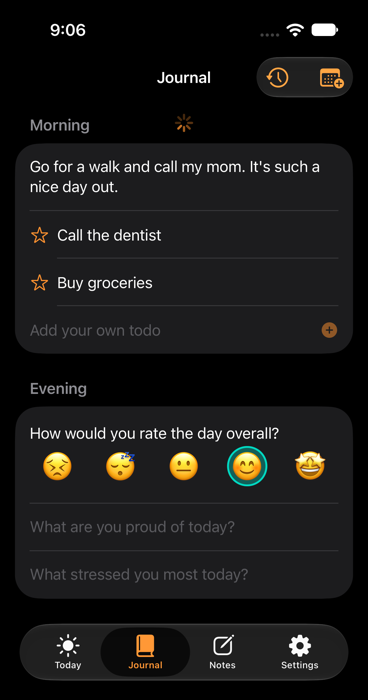
Reflection that actually sticks
A short morning and evening check-in, right where your todos already are. On-device AI turns what you wrote into real tasks — here "Call the dentist" and "Buy groceries" — without sending a single word to a server.
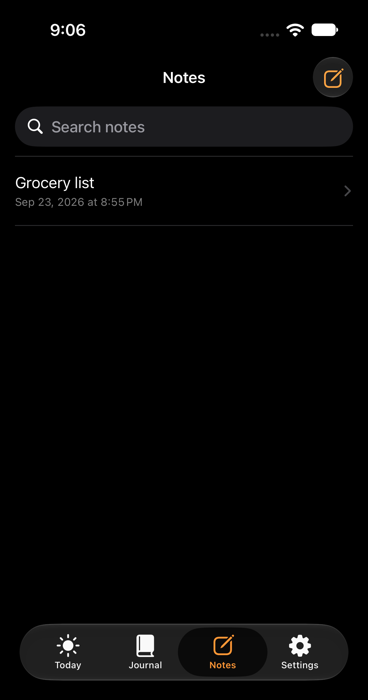
Quick notes, nothing more
Deliberately as thin as Apple Notes: searchable, rich text when you need it, and titled automatically from the first line so you never name a note you'll read once.
Yours to control
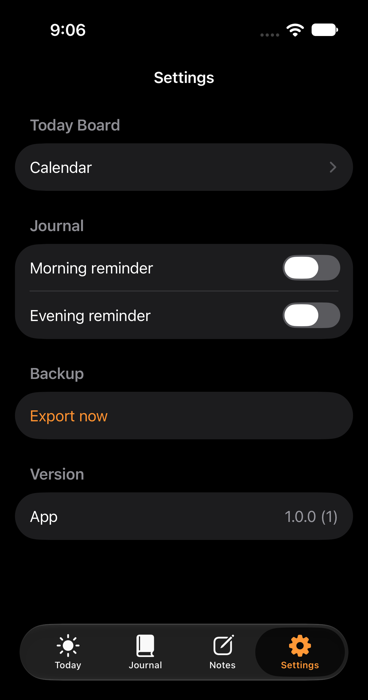
Pick which calendar feeds Today, switch journal reminders on or off, and export a local JSON backup whenever you want. There's no account to manage, because there is no account.
What's next
Daily Board isn't meant to be a second home screen — it's meant to keep growing into one real information center, not more apps. Here's what that means concretely:
Mail & messages
Which emails and messages still need a reply, surfaced right on Today instead of buried across three different inboxes.
Claude & AI sessions
Which AI sessions are waiting on my input, and where — so a running Claude session doesn't quietly stall just because I forgot to check back.
A personal second brain
Eventually pulling context from my own second brain instead of typing the same thing in twice — Daily Board becomes a window into it, not another place to feed.
Privacy, in full
Daily Board does not collect, store, or transmit any personal data to my or any third party's servers. This is the complete privacy policy, not a summary.
Curious about Daily Board?
It's a personal project, not (yet) on the App Store — happy to talk about it, or about building something similar for you.
Or let an AI sum me up — the prompt is already prepared:
 ChatGPT
 Claude
 Perplexity
 Gemini